PERFORMANCE-DRIVEN
PROJECT MANAGEMENT
This project shared with permission from the project sponsors.
Background.
The PML (Process Management Lab) is a 100% virtual organization dedicated to supporting small to medium sized non profits by volunteering to provide process improvement services to those in need. The PML accepts new interns four times a year, and employs lab associates to volunteer with the Lab. Lab associates may be current students, or former OPWL students. The associates and interns have fluctuating time and resources to provide to the PML, and while interns are required to provide 45 hours of work this rarely calculates to a set amount of hours per week. Furthermore, the work the PML undertakes for clients is based on obtaining a client with need, which can happen inconsistently.
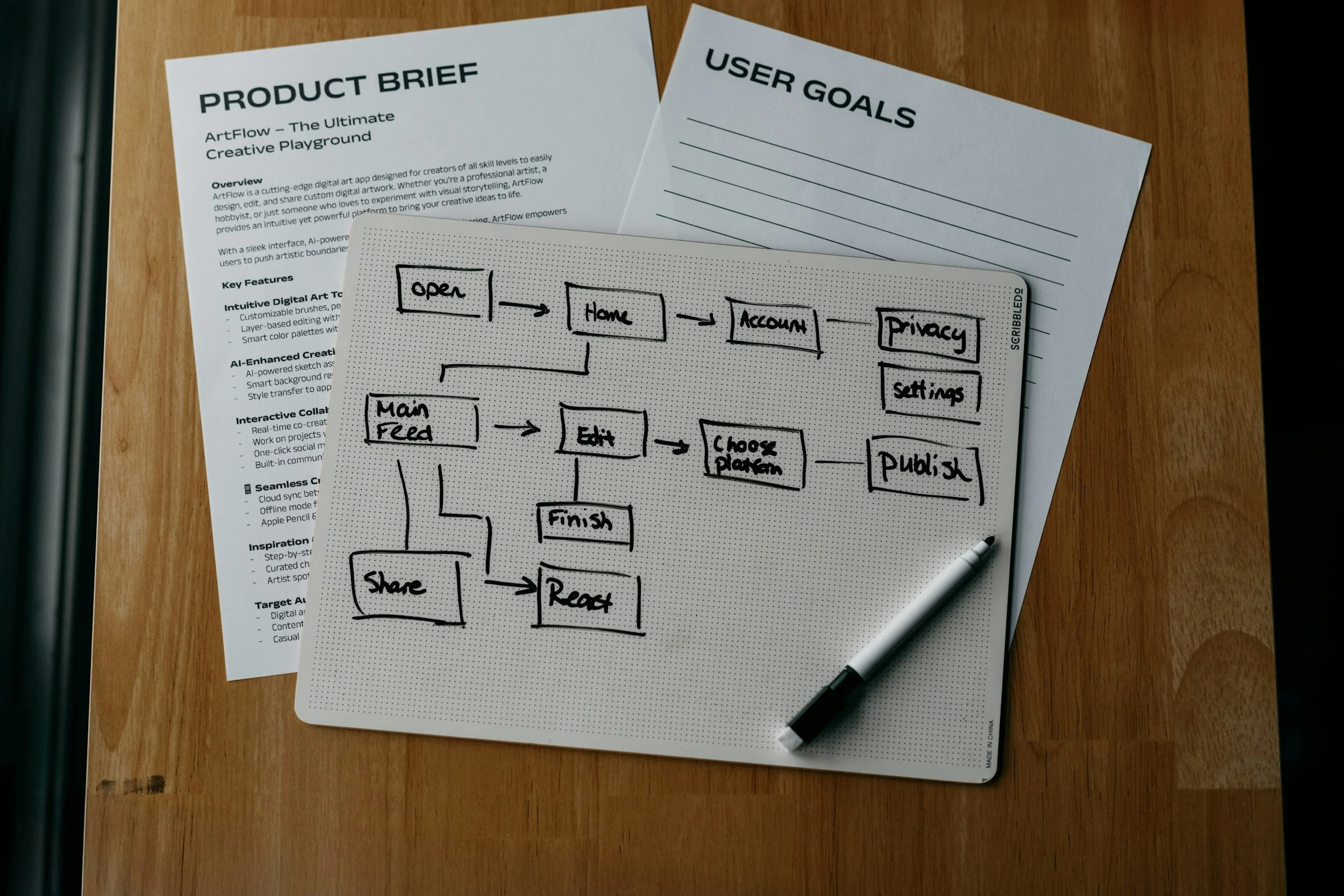
Project sponsors, the leaders and founders of the PML, had received feedback identifying a need for a more formalized intern onboarding experience. Furthermore, the project sponsors felt as if they were spending too much time training available volunteers and assigning tasks when a client was obtained and this work suddenly overtook the PML. And as a virtual organization, the project sponsors realized they had many systems in various places and they wanted to increase communication and collaboration and decrease silos. The sponsors agreed that a project management software was the solution. They did interviews and surveys with the current interns in order to determine what intern experience might be ideal. The project sponsors also started writing out the steps of their process management process with external clients. They began to brainstorm how to transfer projects into their selected PM software, Asana.
My job was to determine how to transfer processes, projects, and determine how the users would approach a project, how collaboration could occur, and how project sponsors could best utilize the project management software.
The Challenge.
While the project to integrate and modernize the PML is ongoing and has spanned several areas, my focus here will be two projects to highlight the processes employed and the outcomes.
The first challenge revolved around a process called Catchafire. Because the PML is attempting to source projects from a specific size and type of client, the PML identified a website - Catchafire.org - designed to match virtual volunteers with non-profit requests. A specific process has already been created to help interns go to Catchafire and search for potential client work. This process required:
(Turn the below into visual chart)
Step 1: Training materials for new interns
Step 2: Assigning Interns to specific date ranges/responsibility to check Catchafire
Step 3: Job aid to assist Interns in determining if the proposed Catchafire project meets PML specifications
Step 4: Process for Intern to propose potential projects to the Lab
Step 5: Job aid to assist Interns in steps to apply for approved project proposal
Part of the Catchafire process had been adapted from excel documents to a Google survey form and a job aid along with a learner video. Additional Google docs had become involved and stored on the PML’s Google drive.
The second challenge was to design a project board as a master template for PML internal projects; that is, the projects the PML wished to complete internally. This board needed to fix the following issues:
(Visual chart)
“A business isn’t just a collection of people. It’s also a collection of processes. And in most organizations, many of these processes have never been deliberately managed. They just sort of develop over the years. Nobody ever took responsibility for designing them. And nobody’s making sure they perform like they should. Chances are you’ll find no particular person is in charge of a process. Lots of people have their fingerprints on it, but no single individual is accountable for overall process results.” - Rummler-Brache.com
Analysis and Methodology.
I approached the Catchafire project with the understanding the primary learner would be the intern/new user, who was the job performer. They would encounter the Catchafire board early on in their introduction to the PML. I applied the Rummler-Brache 9 Box methodology.
Insert
One of my first steps in approaching project creation for any PML process was to identify the learner/user. The PML’s unique make-up of volunteer employees with different levels of expertise or introduction to the PML meant that not everyone would use the same boards or understand the same information. I leaned on the learner analysis half of a Learner & Environmental Analysis (LEA), from the LeaPS instructional design model as I determined that each board had different purposes and different learners or users. So I broke down who would be using the boards:
1) Interns or brand new learners/entering Asana users—prominent because the PML could assume no prior knowledge or expertise in PML functions.
2) Current PML users/learners
3) Project management facilitators such as leadership or myself as Asana project manager/designer.
I realized that how the boards worked needed to reflect the user or learner most involved and the gap with which they were associated. This is the bridge where I started considering the boards both a process improvement tool/project management tool as well as a performance aid. Interns would need a project that assumed little to no information about the PML and by using intern-specific boards interns would receive training in Asana and the Lab. The intern-specific boards would also serve as a form of job aid with descriptive tasks and provided links. And boards associated with any learner could also provide information to the PML Using the environmental analysis of the LEA/LeaPS framework, I could also review what the PML itself needed from these systems, independent of any one learner. The PML could use a features to determine how intern committed hours were being used, or to monitor communication or progress.
Design.
For all performance-aid project management, I discarded the idea of using Kanban or Agile style boards. In the case of these boards, I found it important to leave the boards in List View, which allowed for clear segmentation and labelling of the processes and tasks. It also provided the feeling of a chronological order, when needed. In this case, it clearly labelled instructions from the weekly task assignments.
I also brought together all of the previously created training materials from different locations, and multi-homed these to both the Intern Onboarding Board and the Catchafire.
What you’ll see here is the second iteration of this board, after additional resources and instructions were added by the PML. You can see the performance aid concept in action. Each task is designed to function as a performance aid, keeping to the original concept of supporting a brand new user/learner.
I looked to consolidate the following:
1) Instructional materials for a Catchafire coach (a Lab associate) to refresh understanding of Catchafire and understand their responsibilities;
2) A sign-up sheet assigning interns to review-weeks, and adding task reminders;
3) The Google Survey Form;
4) A folder (or place) to keep all reviewed potential projects;
5) A method of communicating about the projects (previously email, chat, or any other method employed)
6) A job aid to determine whether the project was viable
7) A job aid with how to present possible projects to the PML
8) A job aid with instructions on how to apply for the project.
The Google Survey was easily translated to an Asana Form that could be embedded into the form itself. By adding it to the top of the weekly assignments, it was both easy to access and submission of the form generated a task which could replace a file for a prospective project.
By adding the task to prospective project section or ineligible project section, the task could now become a file for this specific project.
Communication could occur between project members (in this case, the interns and the Catchafire coach) within this file. PML leadership could also easily see the projects as they are created weekly, tracking intern progress.
Outcome.
This board was deployed with the understanding that evaluation would be necessary. The board has been used consistently since, replacing a process that previously required informal, hand-me-down knowledge to navigate. Automated routing — form completion to task creation to Prospective/Ineligible placement — consolidates the process without losing the human aspect of process-making.
Reflections.
This
Kanban.
This